Check out our new app

Download Any Video From 10000+ Websites.

Save MP4s and MP3s in up to 4K quality from YouTube, Facebook, TikTok, and more. Zero sketchy installs, works directly in your browser, no ad.

1M+
Users
https://www.youtube.com/watch?v=dQw4...
Ready to Save High Quality • MP4
4K ULTRA HD

YouTube Video Cutter — Trim Clips Online in 4K, No Watermark

The professional YTCut alternative. Download any segment of a YouTube video in MP4 up to 4K — no watermarks, no ads, no file size limits, no need to download the full video first.

Last updated:

Create Creator Account
No Watermarks
Select Exact Timeframe
Safe & Ad-Free

A YouTube video cutter is an online tool that lets you select a specific time range from any YouTube video, trim it, and download just that segment as an MP4, MP3, or GIF file — without downloading the full video first. AppsGolem's YT CUT Golem is a web-based YouTube cutter that supports resolutions up to 4K (2160p) at 60fps, outputs in 5 formats (MP4, MP3, GIF, video-only, audio-only), and processes clips server-side so it works on any device including phones and tablets.

AppsGolem YouTube Cutter — Key Facts

Max resolution 4K (2160p) at 60fps
Output formats MP4, MP3, GIF, video-only, audio-only
Watermarks None — clean output
Software required None — works in any browser
Device support Desktop, iPhone, iPad, Android, tablet
Languages 38 languages supported
Pricing €16/year or €48 lifetime (one-time)

YT Cutter: What Makes AppsGolem Different

YT Cutter (sometimes written as ytcutter or yt cut) is the short name people use for a YouTube clip-trimming tool that runs in the browser. AppsGolem is a modern YT cutter built around three things free alternatives tend to skip: true 4K output (2160p/60fps, no downscaling), exact-timestamp trimming (not just full-video download), and no ad networks (no malware risk, no popups, no "wait 30 seconds" timers).

If you've used a generic YT cutter before and hit 720p caps, mandatory signups for 1080p, or forced watermarks on free clips — AppsGolem removes those gates. The trial is capped at 360p so you can verify the workflow first; paid plans unlock every resolution the source video carries, up to 4K.

YouTube Video Cutter Comparison (2026)

Feature AppsGolem 123apps Kapwing Y2Mate
Max quality 4K 60fps 1080p 1080p 1080p
Watermark No No Yes (free tier) No
Ads / popups None Some None Heavy
MP3 export
GIF export
9:16 vertical
No install needed
Pricing €16/yr or €48 lifetime Free (limits) $16/mo Free (ads)

Comparison based on publicly available information as of March 2026.

Is AppsGolem free to use?

Partially. A free trial lets you cut one YouTube clip at up to 360p without a credit card — so you can test the tool before paying. For unlimited cuts and full 4K quality, you pick a plan: €16/year or €48 once (lifetime).

Free trial

  • Cut one YouTube clip up to 360p
  • No watermarks, no ads, no malware
  • No credit card required
  • Capped at 360p quality
  • Trial download limit

Paid — €16/year or €48 lifetime

  • Unlimited cuts at 4K (2160p) 60fps
  • All formats: MP4, MP3, GIF, 9:16 vertical
  • No watermarks, no ads, no malware
  • Lifetime plan pays for itself in year 3
  • Includes TikTok + Twitch + YouTube tools

Why isn't it 100% free? Server costs and YouTube-API quota add up. Free tools recover costs via ads — often from networks that serve malware. We recover ours via a €16/year subscription so the tool stays clean, private, and ad-free.

YouTube Cutter Download — Cut and Save Your Clip in One Flow

Most "free YouTube cutters" only give you the cut — then send you to a separate downloader. AppsGolem's YouTube cutter download works in the same step, from the same page, in the format you want.

🎞️

Video formats

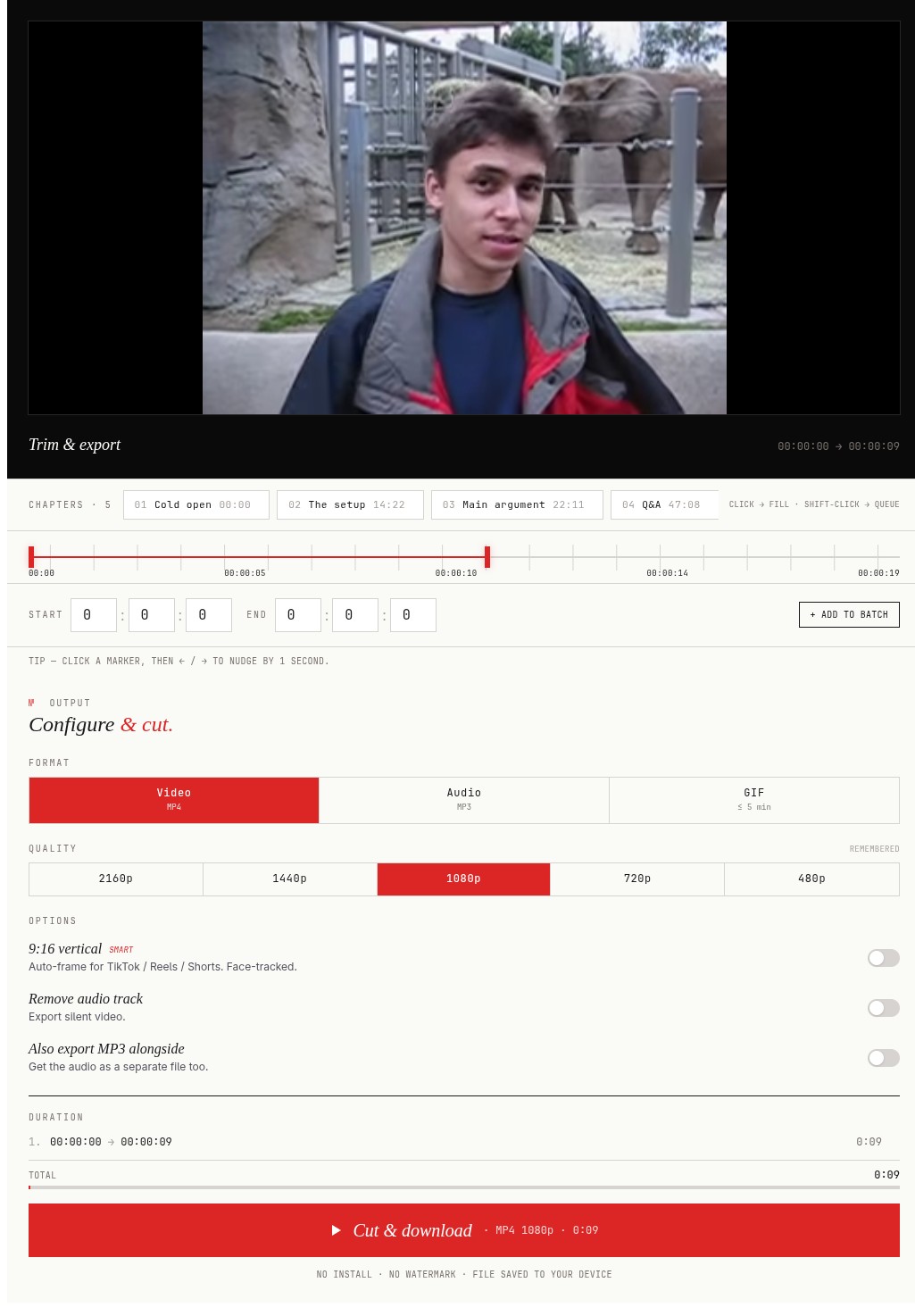
Download the trimmed clip as MP4 at 360p, 480p, 720p, 1080p, 1440p, or 2160p (4K) depending on the source video.

🎵

Audio formats

Pull just the audio of the cut as MP3 — useful for podcasts, music loops, or voice clips from interviews and lectures.

🎬

Other outputs

GIF (for memes and social posts), 9:16 vertical (for Shorts / TikTok / Reels), or video-only with no audio track.

No need to download the full YouTube video first. AppsGolem fetches only the segment you selected — bandwidth usage scales with clip length, not source length.

YouTube Downloader Cut — When Both Jobs Belong in One Tool

If you search "YouTube downloader cut" you probably tried two separate tools already: one to grab the full MP4 and a second to trim it down. AppsGolem combines both roles — it's a YouTube downloader and a cutter in one flow, so you never wait for a full-video download just to keep a 20-second clip. The fetch stops at your end timestamp.

YouTube Cutter and Downloader — Format and Quality Choices

A proper YouTube cutter and downloader gives you format control, not just a "save as MP4" button. AppsGolem exports your cut as MP4 (360p → 2160p), MP3 (audio only), GIF (looping), 9:16 vertical (Shorts/TikTok/Reels), or muted video. You pick once — no re-processing, no second upload, no watermark injected on the way out.

Cut YouTube Videos in 3 Simple Steps

📋

1. Paste Link

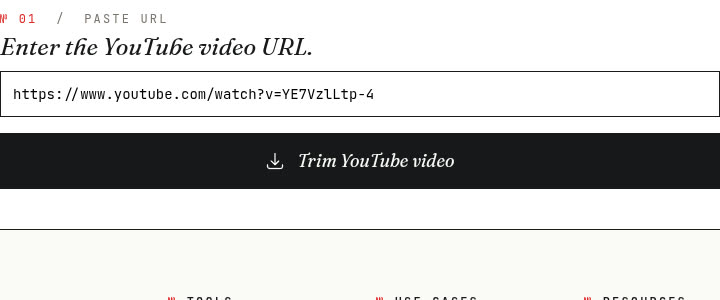
Copy the URL of the YouTube video you want to cut and paste it into our tool.

✂️

2. Select & Trim

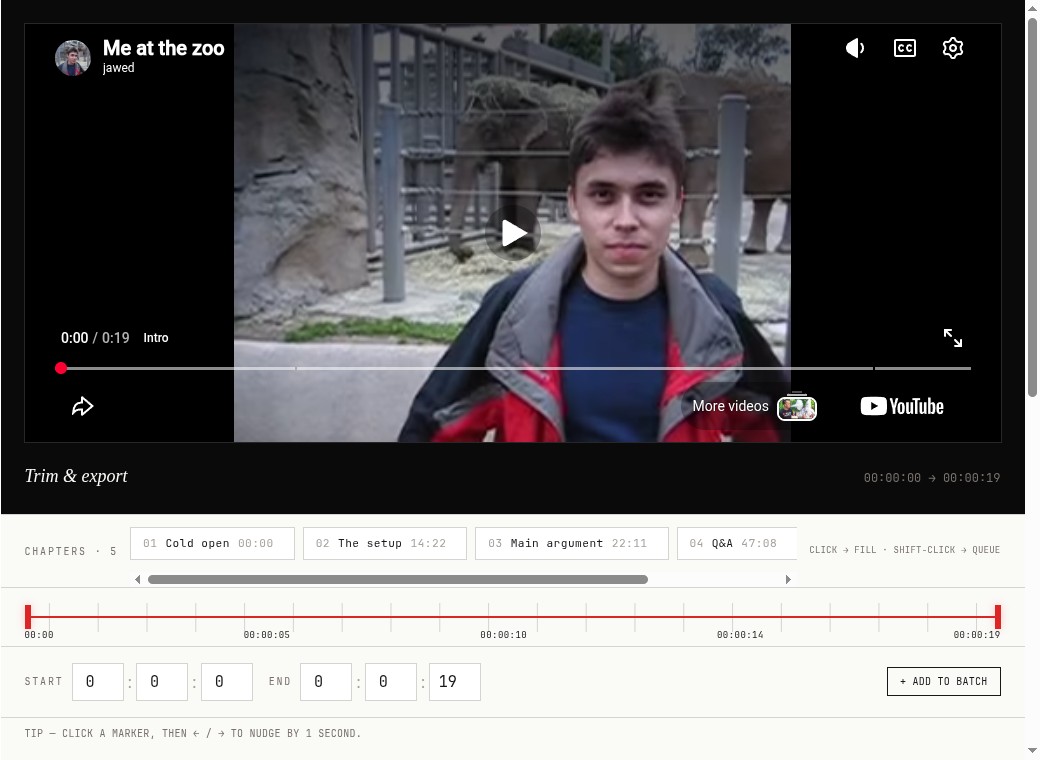
Use the simple sliders or timestamps to define the exact start and end points of your desired clip.

💾

3. Download Clip

Choose your format (VIDEO,MP3, GIF) and quality, then download your perfectly trimmed video clip.

Everything You Need for Perfect Clips

Paste Any YouTube Link

Simply provide the YouTube URL to load the video instantly.

⏱️

Precise Start & End Times

Specify the exact timestamps for the clip you want to create.

✂️

Trim & Cut with Ease

Cut the specific portion you need based on your selected times.

▶️

Preview Your Clip

A built-in player lets you check the selection before downloading.

🎵

Extract Audio Only (MP3)

Option to download just the audio track of your trimmed clip.

GIF

Export as GIF

Create animated GIFs from your video cuts, perfect for memes.

🔇

Download Video Without Sound

Get the trimmed video clip with no audio track included.

⚙️

Choose Video Quality

Select from available resolutions (e.g., 4K, 1080p, 720p, 480p).

🔊

Full Video & Audio Export

Download your trimmed clip including the original sound track.

🔄

Looking for a YTCut replacement?

AppsGolem offers the same functionality with additional features like 4K support and batch processing.

Cut & Download YouTube Videos Instantly

Our YT cutter lets you cut any portion and download directly to MP4 or WEBM.

Unlock Endless Possibilities: Why Cut YouTube Videos?

Go beyond simple viewing. Cutting YouTube videos opens up powerful ways to share, create, learn, and market. See how YT CUT Golem helps:

🚀

Amplify Social Media Reach

Quickly snip viral-worthy highlights, key quotes, or impactful moments from longer YouTube content. Share these engaging YouTube clips directly to Twitter, Facebook, LinkedIn, or Instagram to boost engagement and drive traffic.

🎬

Fuel Your Content Creation

Source perfect snippets for reaction videos, commentary, or compilations. Easily cut YouTube segments to illustrate points in your own videos or podcasts. Convert funny moments into shareable animated GIFs for blogs or forums.

📊

Enhance Presentations & Reports

Make your presentations more dynamic. Embed short, targeted YouTube video clips to illustrate key data, demonstrate concepts, or add expert commentary directly into your slides or business documents.

💡

Streamline Learning & Training

Stop scrubbing through long lectures or tutorials. Extract specific definitions, instructions, or key takeaways to create focused study aids. Trim YouTube videos to build custom internal training modules for your team.

📱

Create Engaging Vertical Video

Effortlessly repurpose existing landscape YouTube content. Use our tool to cut segments and convert them into the 9:16 vertical format, ideal for captivating YouTube Shorts, TikTok videos, and Instagram Reels.

💰

Boost Marketing & Sales

Cut compelling customer testimonial clips from longer interviews. Isolate product feature demonstrations for quick sharing. Create short, punchy video snippets from webinars for use in email campaigns or social media ads.

🎧

Extract Audio for Other Platforms

Need just the sound? Trim specific audio segments from YouTube videos (interviews, talks, music) and download as MP3 files. Perfect for creating podcast episodes, blog post audio versions, or sound bites.

📚

Efficient Archiving & Reference

Don't save entire multi-hour videos just for one section. Cut and save only the relevant parts of news reports, historical footage, or personal recordings for easy offline access and quick reference later.

🎉

Personal Sharing & Fun Projects

Share that exact funny moment from a family video with relatives. Save just the cooking steps from a recipe tutorial. Create personalized highlight reels or fun GIF reactions for friends and online communities.

Built for Serious Creators

Here's what YT CUT Golem is designed to handle — and why creators choose it over free alternatives.

178.6K+
YouTube videos cut
8
cut today
1.9K+
paying creators
Video editing timeline — trim and cut YouTube clips with precision
🎬

Reaction & commentary channels

Grab a 30-second segment from a 2-hour livestream in seconds. No waiting for a full download, no watermark, MP4 output at up to 4K.

📚

Research & education

Extract specific quotes from long lectures or documentaries. Video length doesn't matter — loading a 3-hour source is as fast as a 3-minute one.

📱

Shorts & Reels creators

Cut landscape clips and export them as 9:16 vertical for TikTok, YouTube Shorts, or Instagram Reels. No desktop editor needed — works on mobile.

The Ultimate YouTube Video Cutter

Ever find a perfect moment buried deep within a long YouTube video? That's where a powerful YouTube video cutter becomes essential. Our tool is designed to be the simplest and most effective way to isolate and save any segment without the need for complex, downloadable software. Whether you need a key quote from a two-hour lecture, a hilarious reaction from a livestream, or a critical scene from a documentary, Appsgolem gives you the precision to slice out the exact part you need. Forget about screen recording or downloading entire files—our platform allows you to cut directly from the source, ensuring you get just the content you want, cleanly and efficiently.

Want to see how we compare to other tools? Read our guide to YouTube cutters without watermarks or our roundup of the 7 best YouTube cutters in 2026.

Trim YouTube Videos Online with Precision

Precision is key when you need to capture a moment perfectly. Our intuitive platform allows you to trim YouTube video online with frame-by-frame accuracy. Simply paste your link, and our visual timeline editor appears instantly. Drag the sliders to set your exact start and end points, or type in the timestamps for ultimate control. Because it all happens in your browser, there's no software to install, and it works seamlessly on any device. Whether you're on a desktop finalizing a project or on your phone trying to grab a quick clip, our online tool gives you the power to trim your selection to perfection, ensuring your final cut starts and ends at the exact moment you intend.

On mobile? See our step-by-step guide: how to cut YouTube videos on iPhone and Android.

Download a Specific Part of Any YouTube Video

Cutting a clip is only half the battle; you need to be able to use it. Appsgolem makes it incredibly simple to download part of a YouTube video directly to your device. Once you've selected your segment, you have complete control over the output. Choose to download your clip in stunning HD or 4K quality for professional projects, or convert it directly into a high-quality MP3 for audio use. We also offer advanced options like downloading the video with no sound or getting separate video and audio tracks for editing. This isn't just a player—it's a powerful tool for saving content for offline use, presentations, and creative edits.

New to this? Read our full walkthrough: how to download part of a YouTube video (2026 guide).

A Powerful YouTube Clip Maker for Creators

More than just a utility, Appsgolem is a powerful YouTube clip maker designed for the creator in everyone. In today's fast-paced social media landscape, you need to create engaging content quickly. Our tool empowers you to instantly turn any YouTube moment into a viral-ready clip for TikTok, a compelling highlight for Instagram Reels, or a hilarious reaction GIF for Twitter and Discord. With our fast processing and high-quality output, you can fuel your content calendar and engage your audience with timely, relevant clips. Stop just watching content—start creating with it. Our platform is your go-to solution for transforming passive video into active, shareable moments.

Want to make a GIF? See our complete guide to making GIFs from YouTube videos.

Simple, Honest Pricing

No ads, no watermarks, no tiered bait-and-switch. Pay once — or once a year — and cut as many YouTube videos as you need in 4K.

Annual

€16 /year
  • ✓ Unlimited YouTube cuts
  • ✓ 4K (2160p) downloads
  • ✓ MP4, MP3, GIF, vertical 9:16
  • ✓ No watermarks or ads
  • ✓ Works on desktop & mobile
  • ✓ All AppsGolem tools included
Get Annual Access

Lifetime

Best value
€48 one-time
  • ✓ Everything in Annual
  • ✓ Pay once, use forever
  • ✓ No renewals, no surprises
  • ✓ Pays for itself in year 3
  • ✓ Priority support
  • ✓ All future tools included
Get Lifetime Access

Secure payment via Stripe. Cancel anytime on annual plans.

Ready to Start Cutting?

You need to create a secure account or log in to use the YouTube cutter.

Using Our Online YouTube Video Cutter: Your Questions Answered

Do I need to pay to cut a YouTube video?

Not to try it — the free trial cuts one YouTube clip up to 360p with no credit card. For unlimited use and full 4K quality you pick €16/year or €48 lifetime. Free alternatives exist but typically serve ads from networks that have historically carried malware, cap quality at 1080p, or add watermarks.

What's the difference between the free trial and the paid plan?

The free trial lets you test the tool with one 360p clip so you can verify the workflow before paying. The paid plan (€16/year or €48 lifetime) unlocks unlimited cuts at 4K, all output formats (MP4, MP3, GIF, 9:16 vertical), and access to the TikTok and Twitch downloaders too. Both are ad-free, watermark-free, and tracker-free.

What exactly is YT CUT Golem?

YT CUT Golem is a powerful online YouTube video cutter and trimmer. It lets you easily select specific parts of any YouTube video to cut, trim, and download as smaller clips directly from your browser, without needing complex software.

How do I cut a specific part of a YouTube video using this tool?

Using our online YouTube video trimmer is simple: 1. Paste the YouTube video URL. 2. Use the visual timeline or input exact start/end times to select the segment you want to cut. 3. Choose your desired output format (MP3, GIF) and quality. 4. Click the button to process – we'll generate your trimmed YouTube clip for download.

Do I need to install any software to trim YouTube videos?

No installation required! YT CUT Golem is a fully web-based YouTube video cutter. You can trim videos online directly from any modern web browser on your computer, smartphone, or tablet.

Can I use this YouTube cutter on my phone (iOS/Android)?

Yes! Our online YouTube trimmer is designed to be fully responsive and works seamlessly across all devices, including Windows, macOS, iOS (iPhone/iPad), and Android phones and tablets. Cut YouTube videos anywhere!

Can I cut a YouTube video and download only the audio as MP3?

Absolutely. YT CUT Golem doubles as a YouTube to MP3 cutter. After selecting the video segment, you can choose the option to extract and download only the audio track as an MP3 file.

Is it possible to convert a cut YouTube clip into an animated GIF?

Yes, YT CUT Golem allows you to function as a YouTube to GIF converter. Trim the desired video section and select the GIF export option to create shareable animated GIFs.

Can I convert a standard 16:9 YouTube clip to a 9:16 vertical video?

Yes! We offer an option to reformat your cut YouTube clip into a 9:16 vertical aspect ratio, perfect for creating content for YouTube Shorts, TikTok, Instagram Reels, and other vertical video platforms.

What video quality and formats are available for downloaded YouTube clips?

You can typically select from the resolutions available in the original YouTube video (like 4K,1080p, 720p). Trimmed video clips are usually downloaded in the widely compatible MP4 format. You can also choose MP3 (audio only) or GIF formats.

Can I download the trimmed YouTube video without sound?

Yes, when preparing your download, there's an option to export the trimmed video segment without the audio track.

How fast is the YouTube video cutting process?

Our YouTube video cutter is optimized for speed. Cutting and preparing your video clip for download is usually very fast, typically taking just moments, depending on clip length and server activity.

Are there any limits on cutting videos with this online trimmer?

Once you have an account, there are generally no strict limits on the number of YouTube videos you can cut or the length of the clips. We aim to provide flexible online video trimming, subject to fair usage.

Is it legal and safe to cut and download YouTube clips?

Our YouTube cutter is intended for personal use (e.g., fair use clips, notes, offline viewing where permitted). Always respect YouTube's Terms of Service and copyright laws. Downloading copyrighted material without permission is illegal. Users are responsible for ensuring their use complies with all applicable laws and rights.

Are my activities tracked when I cut YouTube videos?

We prioritize your privacy. We do not track or log the specific YouTube videos you choose to cut or download using our service. Your trimming activity remains confidential. Please see our Privacy Policy for details.

What if I encounter problems using the YouTube video cutter?

If you face issues or have questions about using our online YouTube video trimmer, please contact our support team via the Support Form. We're here to help!

CHECK OUT OUR OTHER APPS