What is a YT Cutter?
A YT Cutter is an online tool that trims a specific range from any YouTube video and downloads just that clip — no full-video download first. AppsGolem's YT Cutter runs in your browser, outputs MP4 (up to 4K/60fps), MP3, GIF, or JPG frame extractions, and works without watermarks or ads. Unlimited cuts are €18 for a year across every tool.
What is the best online YouTube cutter?
The best online YouTube cutter depends on your quality needs and workflow. AppsGolem's online YouTube cutter targets creators who need 4K/60fps output with no watermarks, no ads, and no software install — it works in any browser on desktop, iPhone, iPad, or Android and exports six formats (MP4, MP3, GIF, video-only, audio-only, and JPG frame batches as a ZIP). Free alternatives like 123apps and Kapwing typically cap at 1080p and gate advanced features; Y2Mate-style tools serve ad networks with historical malware. Compare-and-decide table above.
How does a YouTube video cutter work?
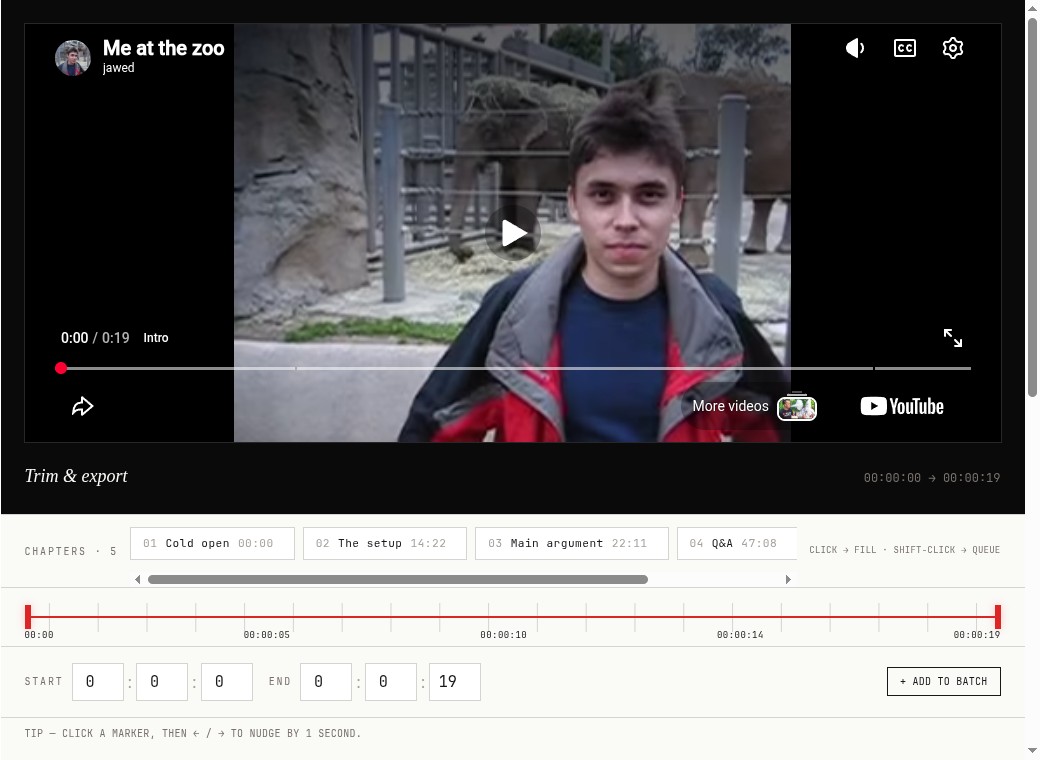
A YouTube video cutter fetches the video from YouTube, extracts the segment between your chosen start and end timestamps, and produces a smaller output file — either a re-encoded MP4 (frame-accurate cuts) or a stream-copy MP4 (~10× faster, aligned to the source's keyframes). AppsGolem's YouTube video cutter runs the extraction server-side so there's no software install; you paste a link, drag the slider or type HH:MM:SS in/out times, pick a format, and download. Cuts are precise-to-the-second in the default (re-encode) mode.
Do I need to pay to cut a YouTube video?
Yes — cutting requires one-off access: €9 for a month, €18 for a year or €39 lifetime for unlimited cuts at 4K, plus the TikTok and Twitch downloaders. No subscription, no auto-renewal. Free alternatives exist but typically serve ads from networks that have historically carried malware, cap quality at 1080p, or add watermarks.
What exactly is YT CUT Golem?
YT CUT Golem is a powerful online YouTube video cutter and trimmer. It lets you easily select specific parts of any YouTube video to cut, trim, and download as smaller clips directly from your browser, without needing complex software.
How do I cut a specific part of a YouTube video using this tool?
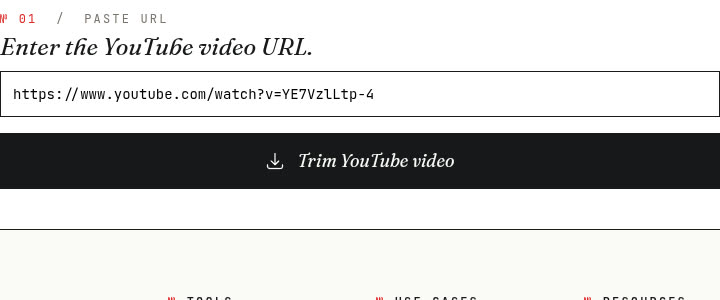
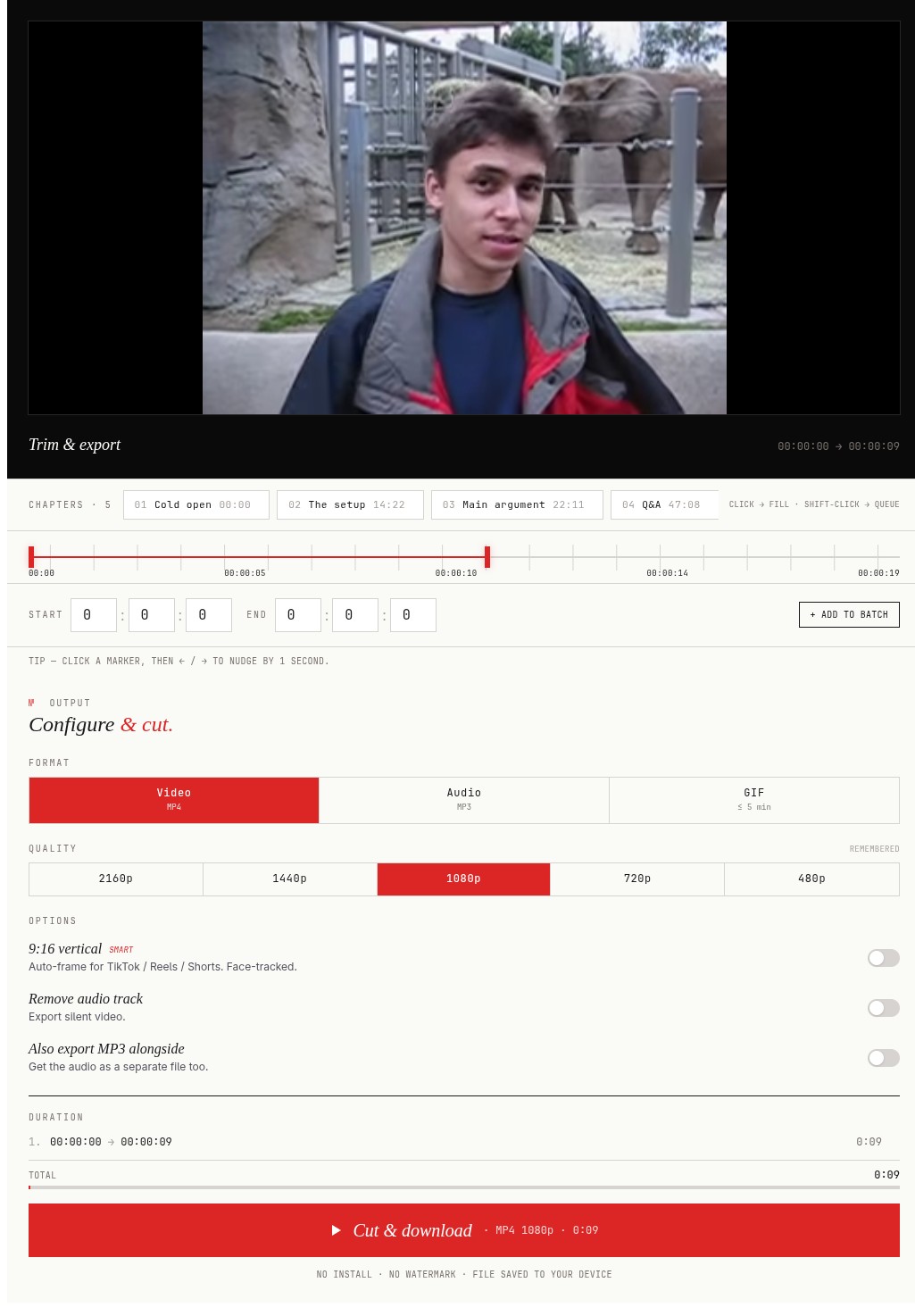
Using our online YouTube video trimmer is simple: 1. Paste the YouTube video URL. 2. Use the visual timeline or input exact start/end times to select the segment you want to cut. 3. Choose your desired output format (MP3, GIF) and quality. 4. Click the button to process – we'll generate your trimmed YouTube clip for download.
What does fast mode do, and is it really ~10× faster?
Fast mode is a stream-copy path — we skip the re-encode step (libx264 CRF 22 is the default; AAC stays as-is) when your cut doesn't change resolution or playback speed. Result: a 30-minute trim runs in under 90 seconds, end to end. The tradeoff is that cuts align to the source video's nearest keyframe (typically every 2–10 seconds for YouTube content). If you need frame-perfect in/out points, leave fast mode off and we run the full encode. Both paths produce watermark-free MP4 output that imports cleanly into Premiere, Final Cut, and DaVinci Resolve.
Do I need to install any software to trim YouTube videos?
No installation required! YT CUT Golem is a fully web-based YouTube video cutter. You can trim videos online directly from any modern web browser on your computer, smartphone, or tablet.
Can I use this YouTube cutter on my phone (iOS/Android)?
Yes! Our online YouTube trimmer is designed to be fully responsive and works seamlessly across all devices, including Windows, macOS, iOS (iPhone/iPad), and Android phones and tablets. Cut YouTube videos anywhere!
Can I cut a YouTube video and download only the audio as MP3?
Absolutely. YT CUT Golem doubles as a YouTube to MP3 cutter. After selecting the segment, pick the Audio format and your quality — 320, 256, 192, or 128 kbps (320 kbps is the default, the highest quality MP3 supports) — then download just the audio track as an MP3 file.
Is it possible to convert a cut YouTube clip into an animated GIF?
Yes, YT CUT Golem allows you to function as a YouTube to GIF converter. Trim the desired video section and select the GIF export option to create shareable animated GIFs.
Can I convert a standard 16:9 YouTube clip to a 9:16 vertical video?
Yes! We offer an option to reformat your cut YouTube clip into a 9:16 vertical aspect ratio, perfect for creating content for YouTube Shorts, TikTok, Instagram Reels, and other vertical video platforms.
Can I crop a YouTube video, not just trim it?
Yes — AppsGolem crops the frame as well as trimming the length. Pick the 9:16 vertical option and the AI smart-crop keeps the speaker or main action centred while it reframes a 16:9 YouTube video to vertical for Shorts, Reels, and TikTok. You crop and cut in one pass: set your start and end times, choose the vertical/crop format, and download the cropped YouTube video in up to 4K with no watermark.
What video quality and formats are available for downloaded YouTube clips?
You can typically select from the resolutions available in the original YouTube video (like 4K,1080p, 720p). Trimmed video clips are usually downloaded in the widely compatible MP4 format. You can also choose MP3 (audio only) or GIF formats.
Can I download the trimmed YouTube video without sound?
Yes, when preparing your download, there's an option to export the trimmed video segment without the audio track.
How fast is the YouTube video cutting process?
Cutting is quick for short clips; longer source videos take a little longer because we load the video first. Re-cutting more clips from the same video is often faster — we reuse what's already loaded. For the fastest possible cuts, enable Fast mode — it skips re-encoding entirely (stream-copy) and finishes in seconds, with cuts aligned to the nearest keyframe.
Can I speed up or slow down a YouTube clip?
Yes — the cutter has a playback-speed preset between 0.5× (half-speed) and 2× (double-speed) for tutorials, sports analysis, or compressing long clips. Voices keep their natural pitch (no chipmunk effect). Pick the speed before clicking Cut & download; the output's duration adjusts automatically.
Can I join multiple clips from the same YouTube video into one file?
Yes. Add several cuts to the queue with the + Add another cut button, then enable the Stitch toggle — the worker concatenates them into a single MP4 instead of returning a ZIP of separate clips. Useful for compilation reels, talk highlights, or threading scattered moments without an editor.
Can I extract frames from a YouTube video as JPG images?
Yes — the Frames format pill samples stills from your selection at a chosen interval (every 100ms for sports analysis, 1–2s for storyboards, 5–10s for hero-frame picking). The output is a ZIP of JPGs plus a manifest with timestamps. For a single still at the current playhead, click the camera icon in the player toolbar (or press S) and you get one naked JPG.
Can I get a contact sheet of all extracted frames?
Yes. With the Frames format pill selected, enable the Contact sheet toggle — the cutter composes up to 80 frames into a single JPG laid out in an 8-column grid, ready to drop into Lightroom or Slack with no folder to unzip. Optionally turn on Stamp source timestamp to burn HH:MM:SS into each frame for forensic or analysis review.
Are there any limits on cutting videos with this online trimmer?
Once you have an account, there are generally no strict limits on the number of YouTube videos you can cut or the length of the clips. We aim to provide flexible online video trimming, subject to fair usage.
Is it legal and safe to cut and download YouTube clips?
Our YouTube cutter is intended for personal use (e.g., fair use clips, notes, offline viewing where permitted). Always respect YouTube's Terms of Service and copyright laws. Downloading copyrighted material without permission is illegal. Users are responsible for ensuring their use complies with all applicable laws and rights.
Are my activities tracked when I cut YouTube videos?
We prioritize your privacy. We do not track or log the specific YouTube videos you choose to cut or download using our service. Your trimming activity remains confidential. Please see our Privacy Policy for details.
What if I encounter problems using the YouTube video cutter?
If you face issues or have questions about using our online YouTube video trimmer, please contact our support team via the
Support Form. We're here to help!